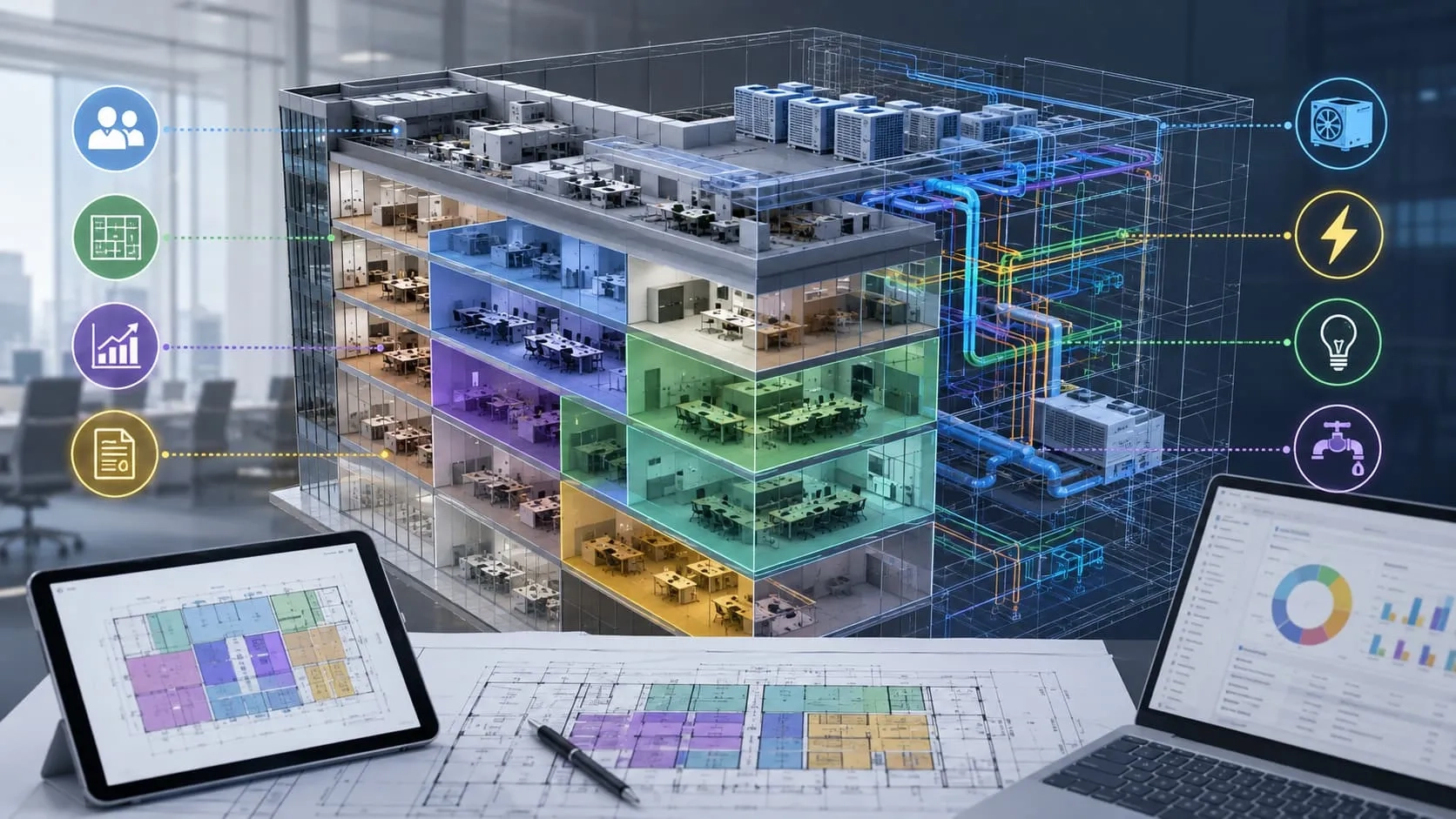
The AEC industry is no longer just about producing drawings—it’s about managing information, reducing risk, and delivering smarter projects from design through operation. While CAD has been the backbone of design for decades, its limitations are becoming increasingly clear in today’s complex, multi-disciplinary environments. BIM, on the other hand, represents a fundamental shift—transforming static drawings into intelligent, data-rich models that enable better decisions at every stage of a project. So what truly sets BIM apart from CAD, and why are more organizations making the transition now? Let’s break it down.
What is CAD?
Computer-Aided Design (CAD) refers to the use of digital tools to create precise 2D drawings and 3D models for engineering and construction projects. For decades, CAD has been the industry standard for producing technical documentation, enabling designers and engineers to draft plans, sections, elevations, and detailed components with high accuracy.

Main Purpose of CAD
- Create technical drawings for design and construction
- Produce clear and standardized project documentation
Strengths of CAD
- Simple and widely adopted across the industry
- Familiar workflows for most designers and engineers
- Efficient for small projects or straightforward drafting tasks
Limitations of CAD
- Lacks embedded data—drawings are mostly geometry-based
- Limited collaboration, especially across multiple disciplines
- Does not support the full project lifecycle (design → construction → operation)
What is BIM?
Building Information Modeling (BIM) is a digital approach to designing, constructing, and managing buildings and infrastructure through intelligent 3D models enriched with data. Unlike traditional modeling, BIM goes beyond geometry—it creates a data-rich environment where every element carries information that supports decision-making throughout the project.

At its core, BIM integrates:
- Geometry (the physical form of elements)
- Data (materials, specifications, performance, costs)
- Relationships (how elements interact within the system)
Strengths of BIM
- Enables real-time collaboration across multiple disciplines
- Supports clash detection, reducing errors before construction
- Facilitates lifecycle management, from design to operation
👉 Most importantly, BIM is not just a tool or software—it is a process that transforms how projects are delivered, making them more coordinated, efficient, and data-driven.
The Big Fight Between BIM vs CAD on Many Important Things
Why CAD Is No Longer Enough
Coordination Issues Lead to Costly Clashes
In CAD-based workflows, teams often work independently on separate drawings, making coordination difficult. This fragmented approach increases the risk of design conflicts that are only discovered during construction, leading to costly clashes and project delays.
Rework Drives Up Time and Budget
Because issues are identified late, projects frequently require rework—redrawing, revising, and re-coordinating designs. This not only wastes time but also significantly increases overall project costs.
Lack of Operational Data
CAD focuses primarily on geometry, meaning drawings contain little to no embedded data. As a result, valuable information for facility management and long-term operations is missing, limiting the usefulness of CAD beyond the design phase.
Difficult to Scale for Complex Projects
As projects grow in size and complexity, managing multiple drawings across teams becomes increasingly inefficient. Keeping everything updated and consistent is time-consuming and prone to errors.
👉 CAD isn’t wrong—it’s simply no longer enough to meet the demands of modern, data-driven projects.
Why the Industry Is Moving to BIM
Driven by Client and Government Requirements
Across the AEC industry, the shift to BIM is no longer optional. Many project owners and investors now require BIM to ensure better transparency, coordination, and long-term asset value. At the same time, governments in multiple countries are introducing BIM mandates for public infrastructure projects, accelerating adoption at scale.
Read more: 2026 BIM Mandates: The Global Compliance Shift That Will Reshape Who Wins Projects
Reducing Costs and Minimizing Risks
BIM enables teams to identify issues early through coordination and clash detection, significantly reducing costly errors during construction. Studies have shown that BIM can help reduce project costs by up to 20% by minimizing rework and improving planning accuracy.
Improving Efficiency Across the Project Lifecycle
With BIM, workflows become more streamlined and collaborative. Teams can work on a shared model, reducing delays and improving productivity. This leads to faster project delivery and better resource management from design to construction.
Enabling Data-Driven Decision Making
Unlike CAD, BIM provides a data-rich environment where every element carries meaningful information. This allows stakeholders to make more informed decisions, optimize designs, and improve building performance over time.
👉 The shift to BIM isn’t just a trend—it’s a response to increasing project complexity and the growing demand for smarter, more efficient, and data-driven project delivery.
CAD to BIM: Why It Matters for Your Business
As projects grow in complexity, many organizations reach a point where traditional CAD workflows can no longer keep up. Transitioning from CAD to BIM is not just a technical upgrade—it’s a strategic move that directly impacts project efficiency, cost control, and long-term value.
When Should You Make the Transition?
- Large-scale or complex projects with multiple systems
- Projects involving multiple stakeholders and disciplines
- When coordination issues and rework start affecting timelines and budgets
Key Benefits of Moving from CAD to BIM
- Reduced rework through early clash detection and better coordination
- Improved ROI by optimizing design, construction, and operational efficiency
- Enhanced collaboration with a centralized, data-rich model
- Better decision-making across the entire project lifecycle
Common Challenges in Transitioning
- Lack of in-house BIM expertise or trained personnel
- Undefined workflows and standards for BIM implementation
- Initial investment in tools, training, and process changes
👉 This is why many companies choose to partner with experienced BIM providers rather than navigating the transition alone.
With deep expertise in CAD to BIM conversion, BIM modeling, and BIM consulting, Harmony AT helps organizations transition smoothly minimizing disruption while maximizing the value of BIM. Whether you’re starting with a pilot project or scaling BIM across your portfolio, the right partner can accelerate your journey and ensure long-term success.
Ready to unlock the full potential of BIM in your projects? Let Harmony AT help you make the transition faster, smarter, and more effective.
Categories